

Teach math and coding with art
The start of a new era: educational app made with the target user in mind.
Results
- Improved UX based on target user
- Reduced time to learn the platform & get started for new users
Company
MIST
Time frame
6 months
Role
User testing, Ideation, Wireframing, UI/UX design, Prototyping, UI development
Overview
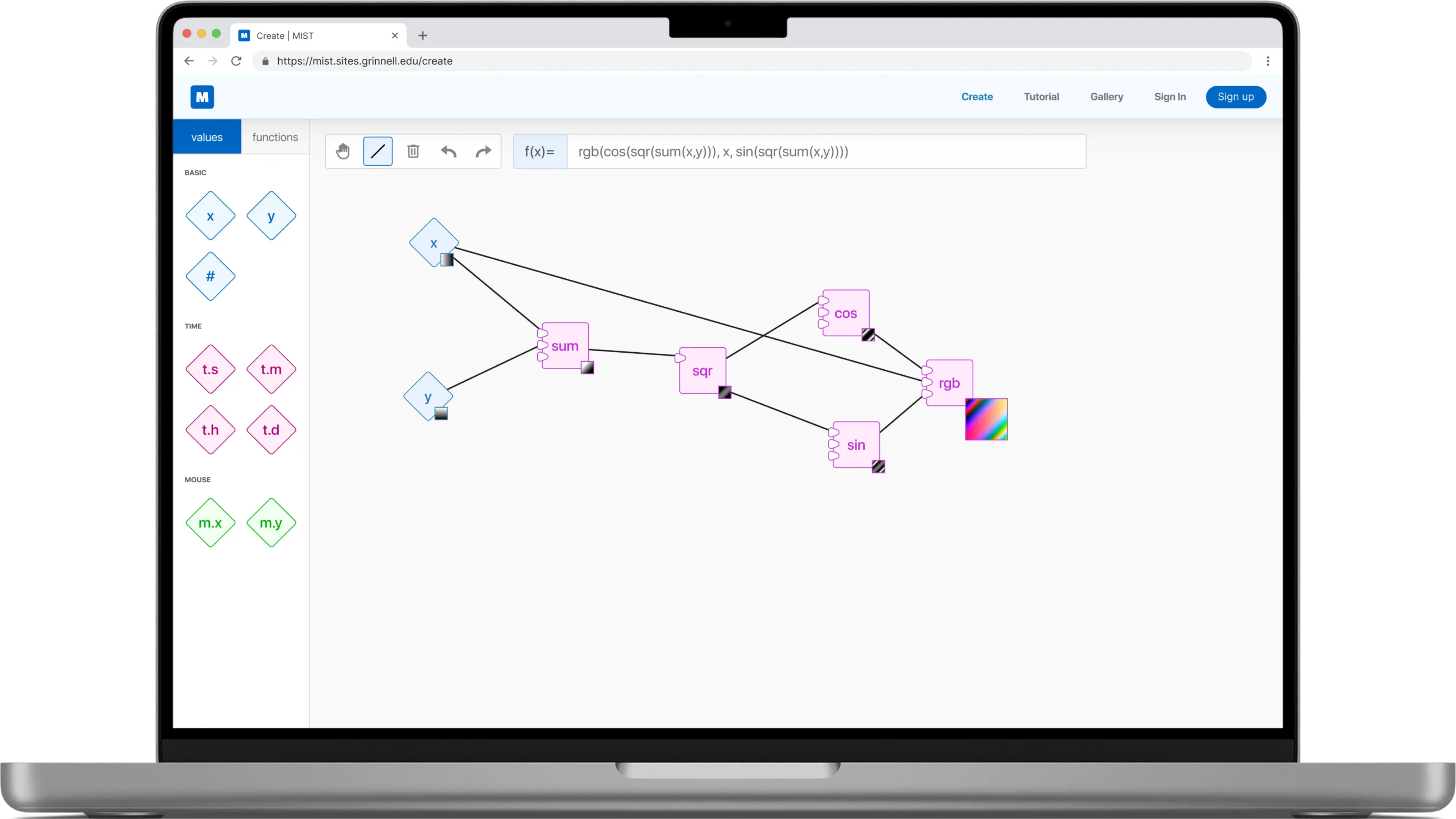
MIST, an educational math toolkit, was redesigned to better meet user needs, guided by research that was missing before
MIST is an educational tool to help students learn functional problem solving and math through an image creation model in 2014. Six years later, our team was brought on to revamp it with newer frameworks, and more research to improve user experience.I joined as a UX researcher and UI/UX designer, as well as a frontend developer. After researching users understanding on MIST concepts, I focused on creating a less intimidating and more easily usable website for all level of math users with React and Figma.
The initial Problem
User interviews
Learning about our users and their needs
Setup, research questions, and tasks
We set up 120 minute long 1:1 user interviews with 15 current Grinnell students, and 1 alumnus through Microsoft teams.
Through the interviews, we wanted to get answers for the following research questions with the following tasks:
| Questions & Goals | Tasks |
|---|---|
| How do new users interact with MIST? |
|
| How do users understand the image making model of MIST? | Gave interviewees some example MIST concept tasks (where they didn't have to use the website), to see how they understand the image making model proposed by MIST. 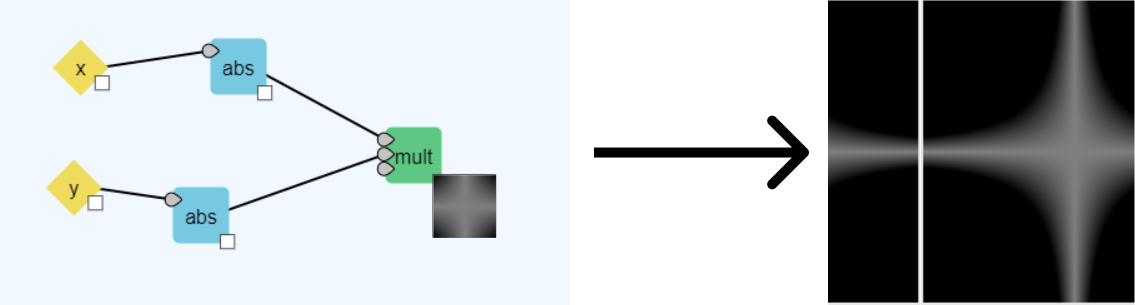 |
| How do users create images that are meaningful for them in order to learn? | Asked interviewees to create an image that they would submit to a leaderboard challenge. |
The results
Observed habits
- Users were looking at images in 3 ways: constantly, only at final product, randomly opening it
- Users went to the gallery to find inspirations, but couldn't understand other people's code
- First place users went to figure out MIST was the tutorials
- To understand the different values and functions, they read the descriptions, but couldn't understand them
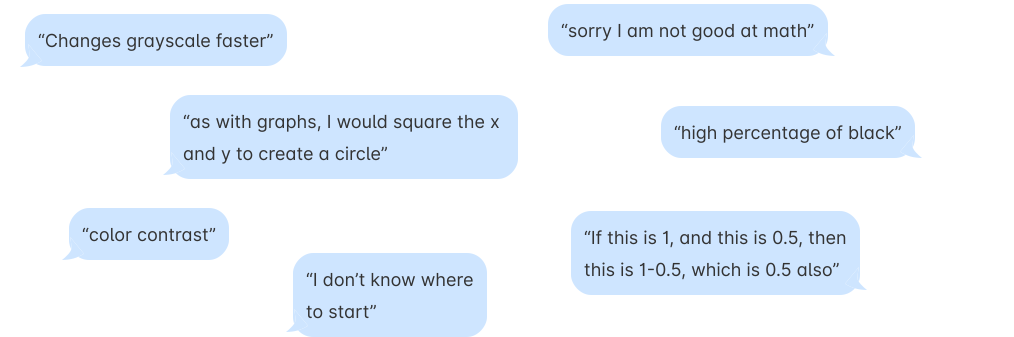
Interesting comments & phrases
Website audit
Identifying specific places to improve the site
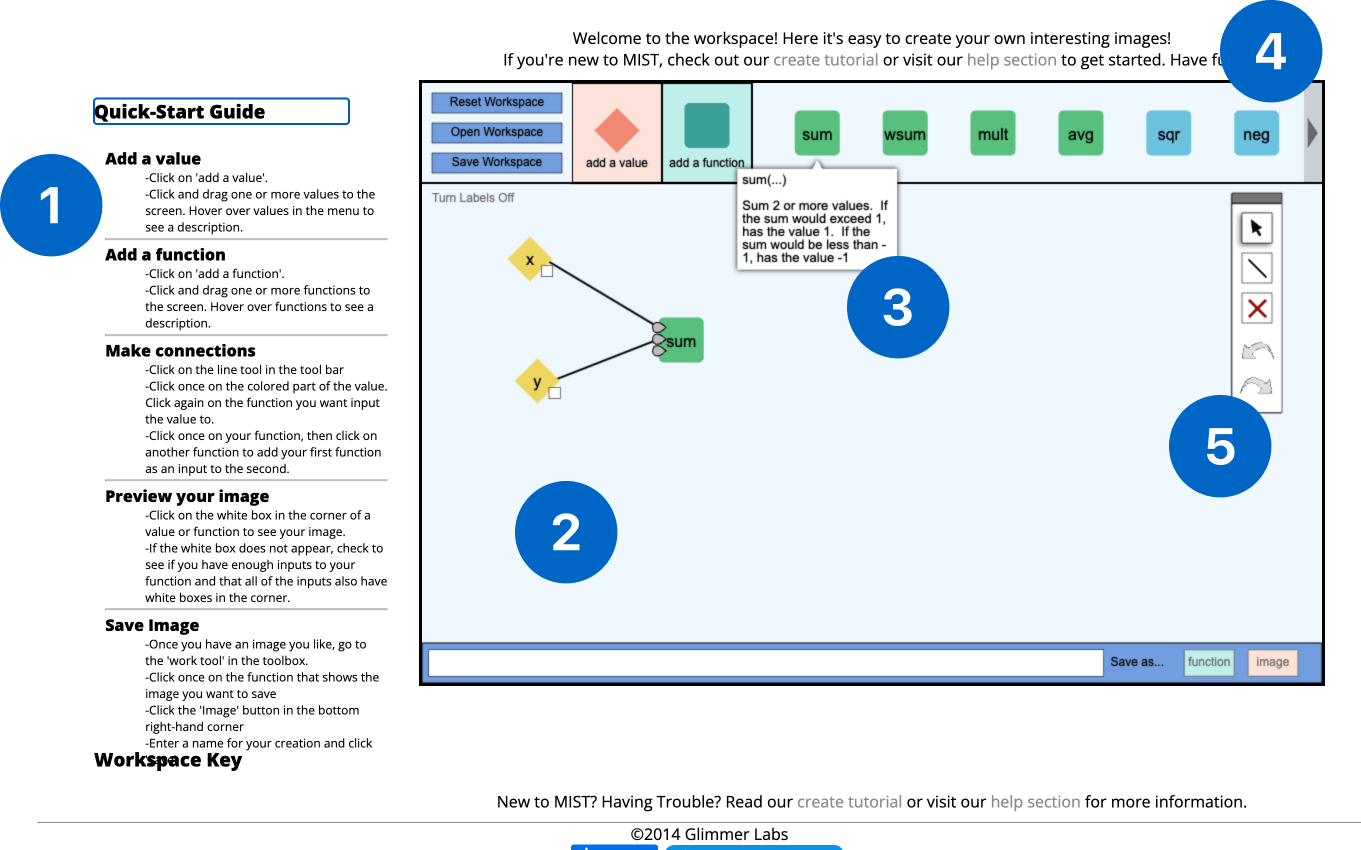
I went through the different pages (workspace, tutorial, gallery, individual posts), and annotated them based on feedbacks from interviews and heuristic evaluations.
- Users found tutorials more helpful than the Quick-start guide instructions.
- The editor itself only takes up about 2/3 of the entire page, which limits users
- Users couldn't understand the mathematical explanations of functions and values.
- Lots of scrolling back and forth to find the values and functions in the list
- Users forgetting when they are in delete mode, which results in accidental node deletions
Personas
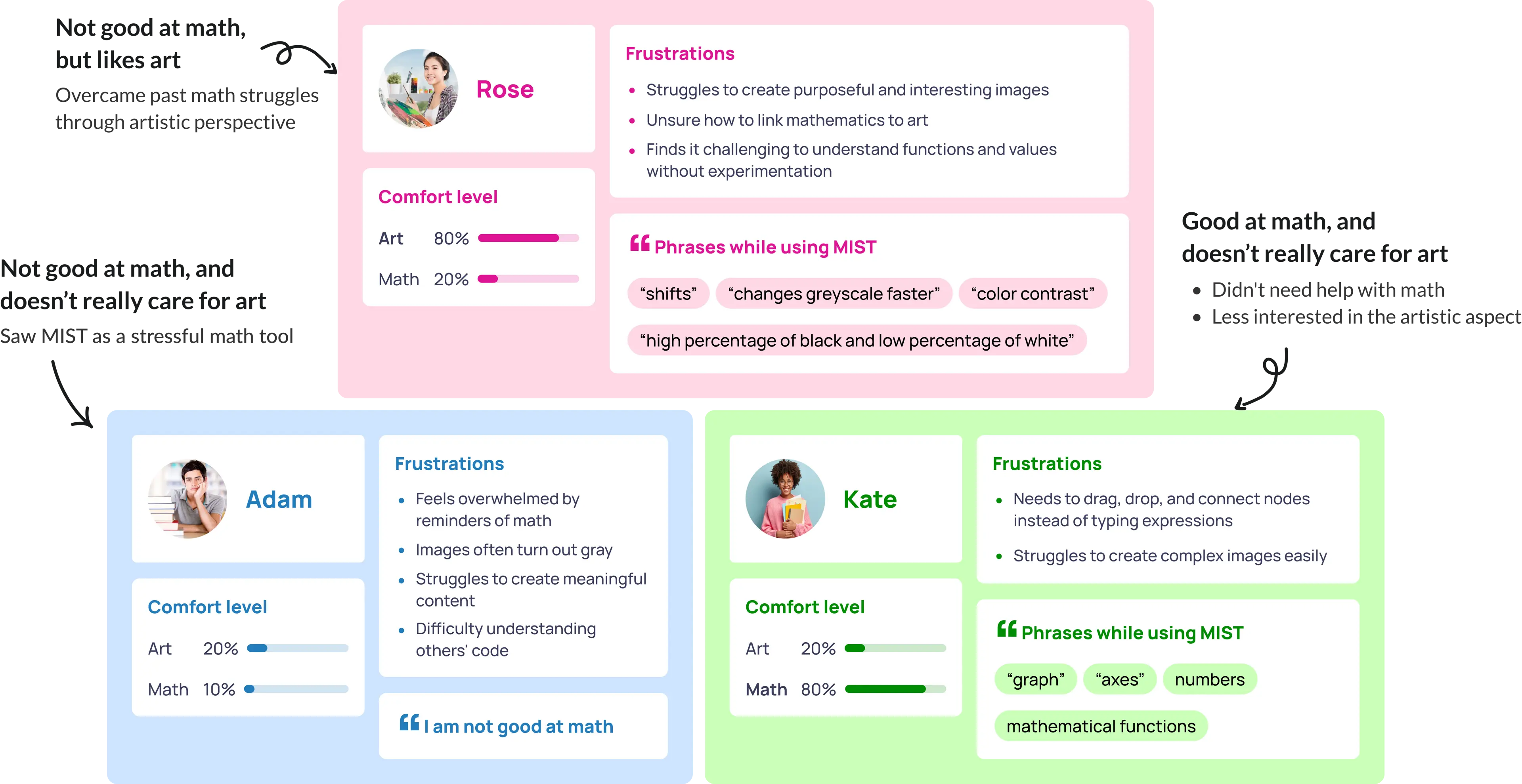
Identified 3 user types, differing in comfort level with math and interest level towards art
Our target user
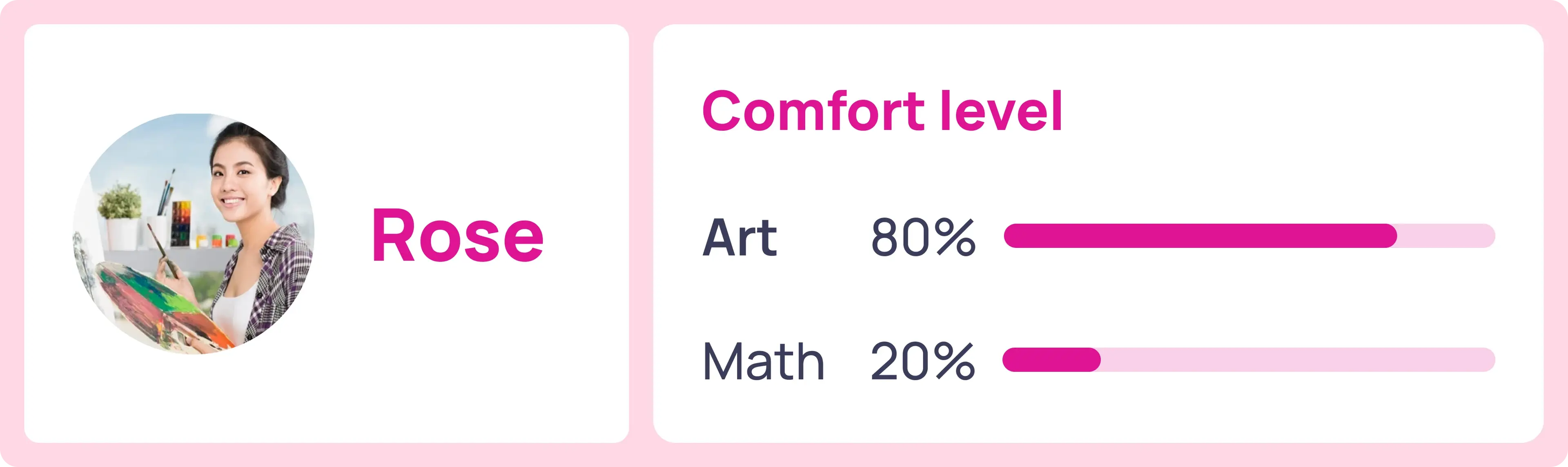
As MIST's mission is to help people learn math through art, our target users would be mainly people like Rose (who enjoy art more than math). They can enjoy the artistic aspect, and would also not find the math boring.
The Goal
Help understanding math through art
Everything was explained in math terms that didn't always make sense to people who were trying to learn math.
Improve educational guides
Tutorials prioritized site functionality over the connection between math and art, and viewing others' work presented code-like expressions instead of clear node setups.
Learning from an "expert" user
To help others learn MIST, I had to teach myself first
To teach others how to understand the MIST image making model, I first had to learn myself how to
- create meaningful images purposefully and
- connect the math to the art.
Method: interview with an "expert user"
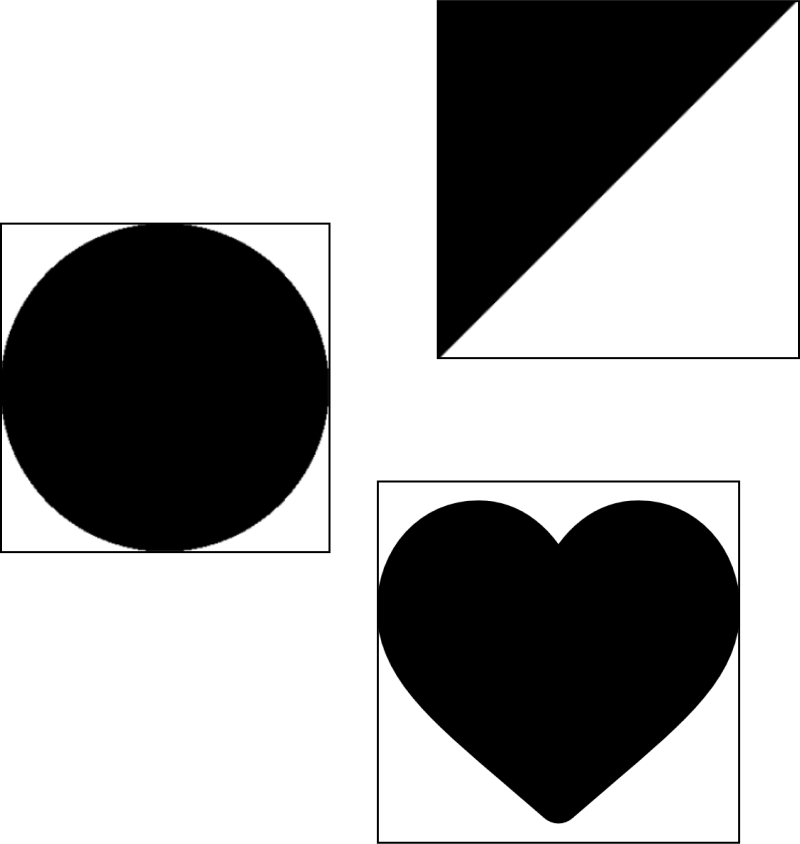
I asked an "expert" user of the website for an interview to see how he creates images purposefully. In the past, he has created images like the Microsoft logo, arrow, or this star:

I asked him to create a rectangle, diamond, and a circle, while talking out loud about his thought process.
What I learned
I found out that he is breaking out the shapes into smaller pieces. I learned how to:
- flip images
- rotate images
- resize images
- assemble images
Ideation
I chose features by assessing solutions for impact based on our goals and creation effort, addressing key research-identified problems
First, I identified smaller and more specific problems. Based on those I started to ideate through different possible solutions:
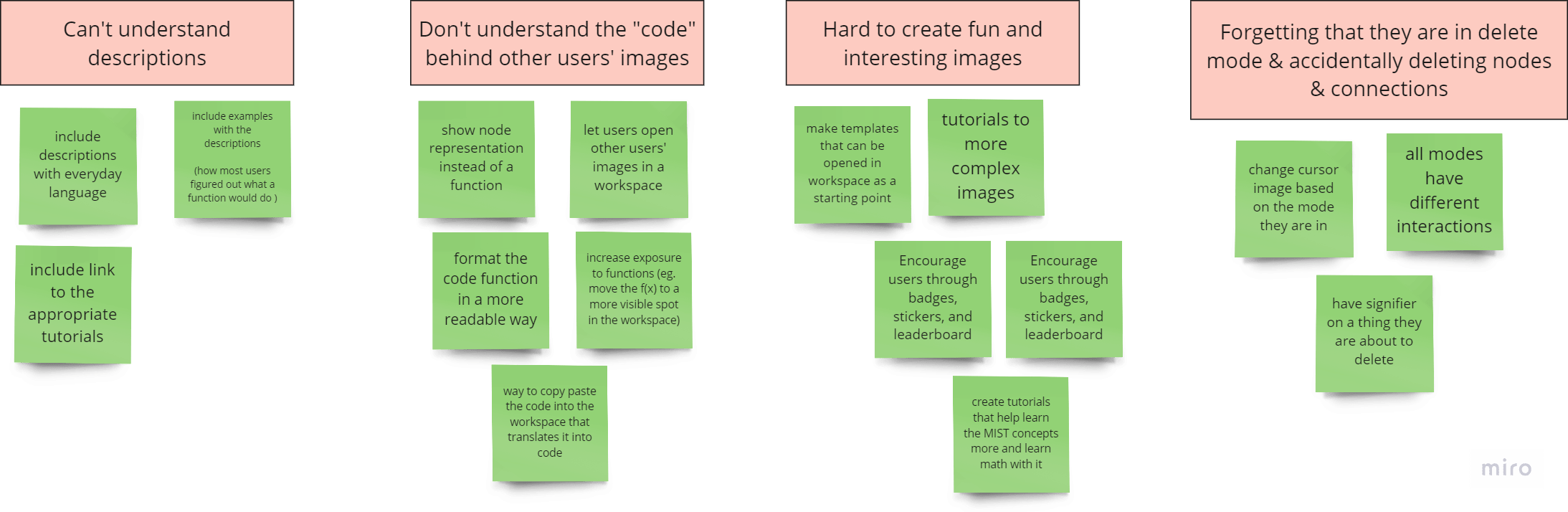
After that, I evaluated the different solutions based on how much effort it would take to create and how useful it would be:
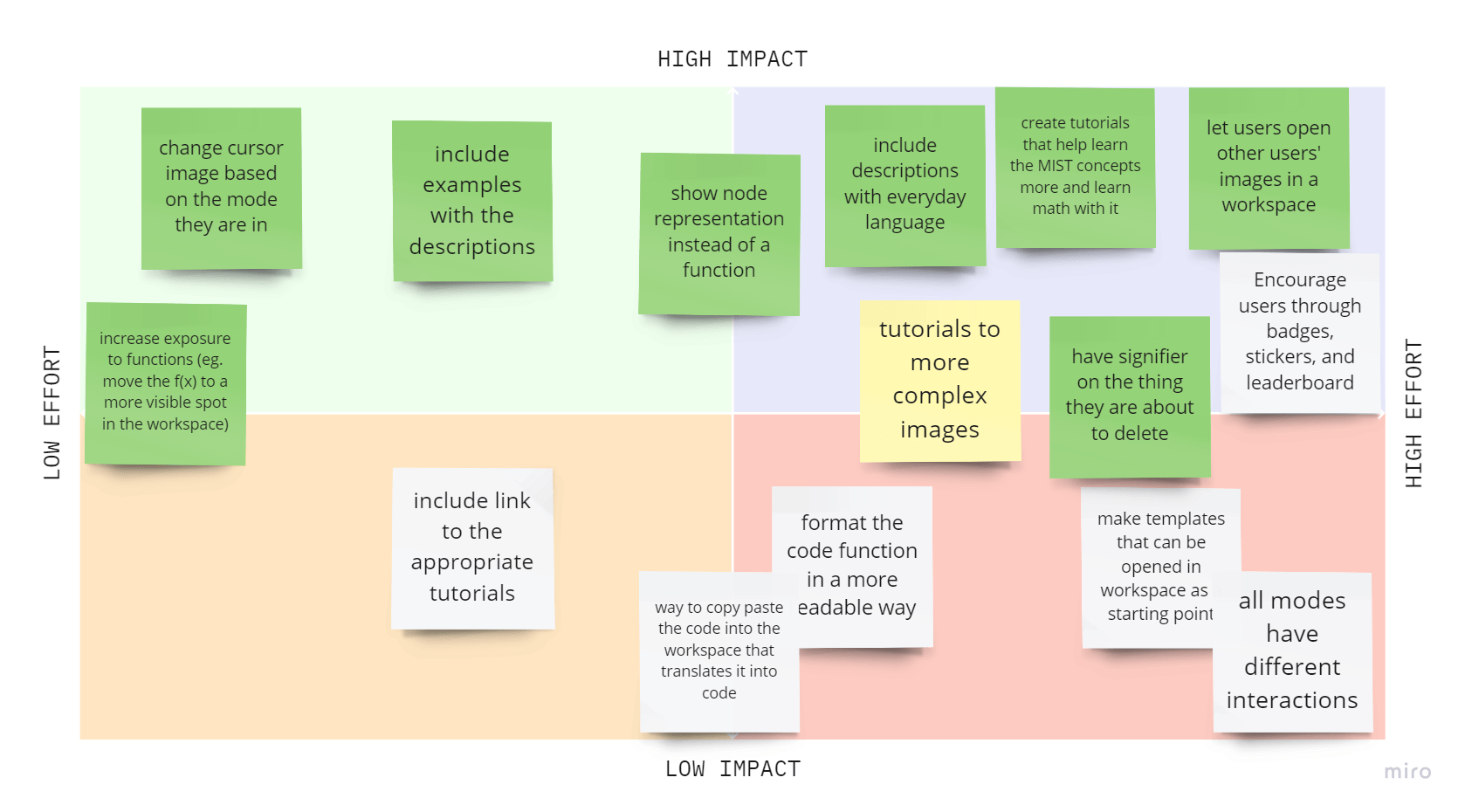
This way, we ended up with 8 smaller features to add or change (the green post its). Some of them were in the higher effort one just because we needed to create content for those.
Tutorial topics
Re-structuring tutorials based on user needs
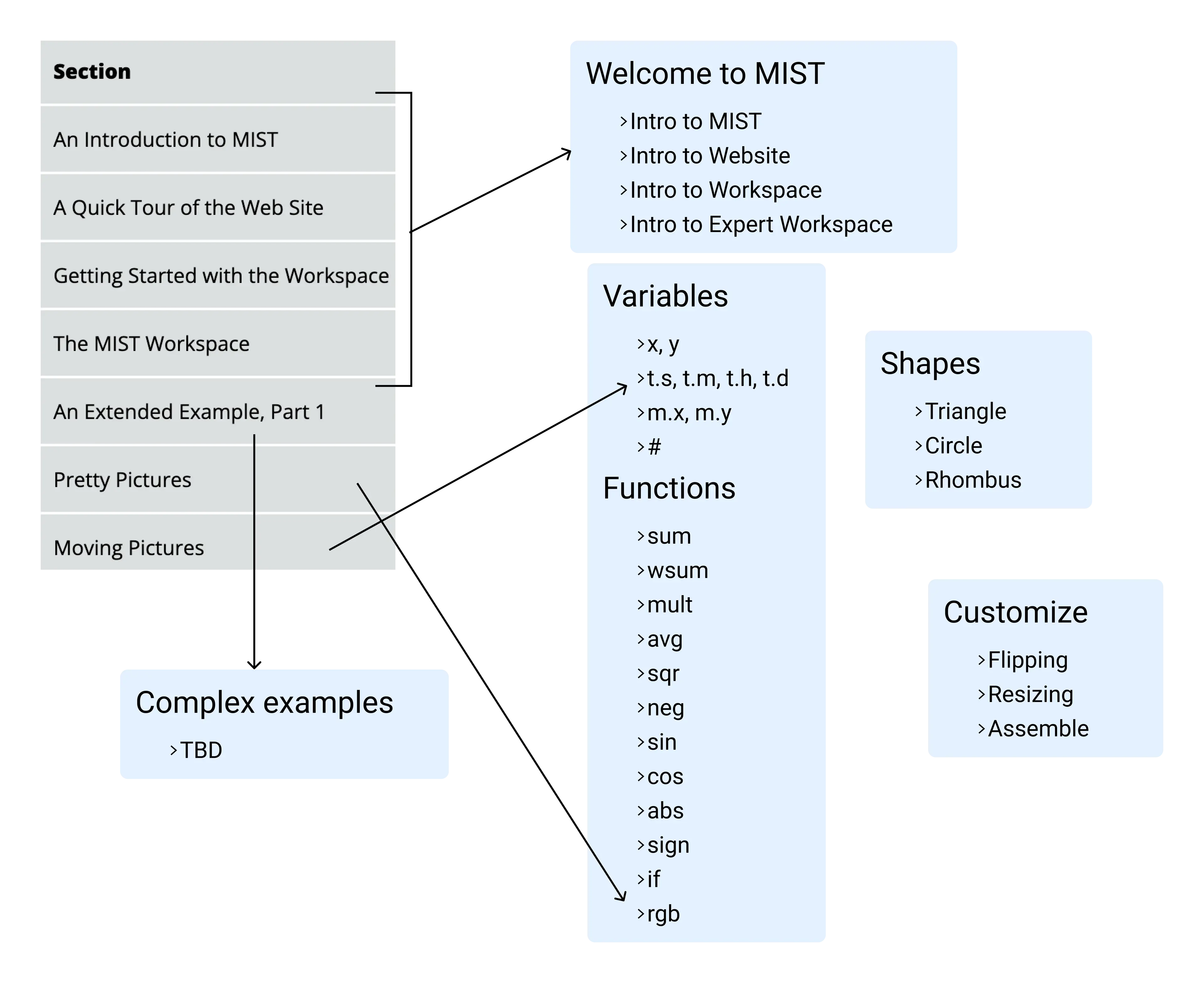
After observing user struggles and consulting with an "expert" MIST user, I devised structured tutorial sections tailored for new users unfamiliar with MIST concepts, considering existing tutorials and common learning challenges.
Low-fidelity Wireframing
Brainstorming through different layouts and interactions
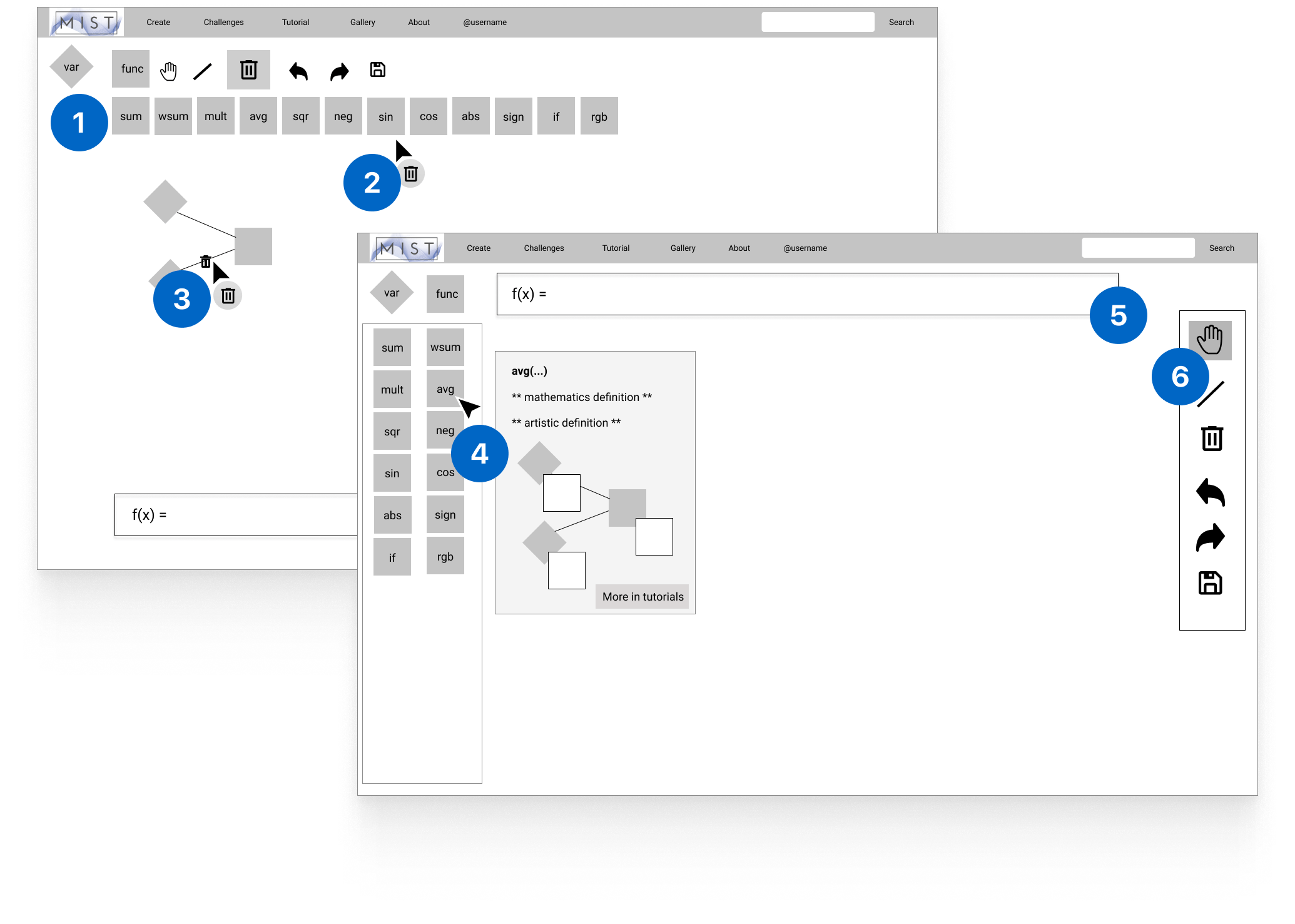
Based on the features that seemed to be the most valuable to do, combined with the website audit, I created some low-fidelity mockups concentrating on those improvements.
- Variables & functions are hidden & takes up less space unless if user opens them
- Show "delete mode" on the cursor itself
- Show a delete signifier when user hovers over a connection or node
- Have the variables and functions on the side in 2 columns so all of them are visible immediately
- Showing the functional code on the top, so there's more visibility to it
- Make it more visible what mode they are in
Branding & Design System
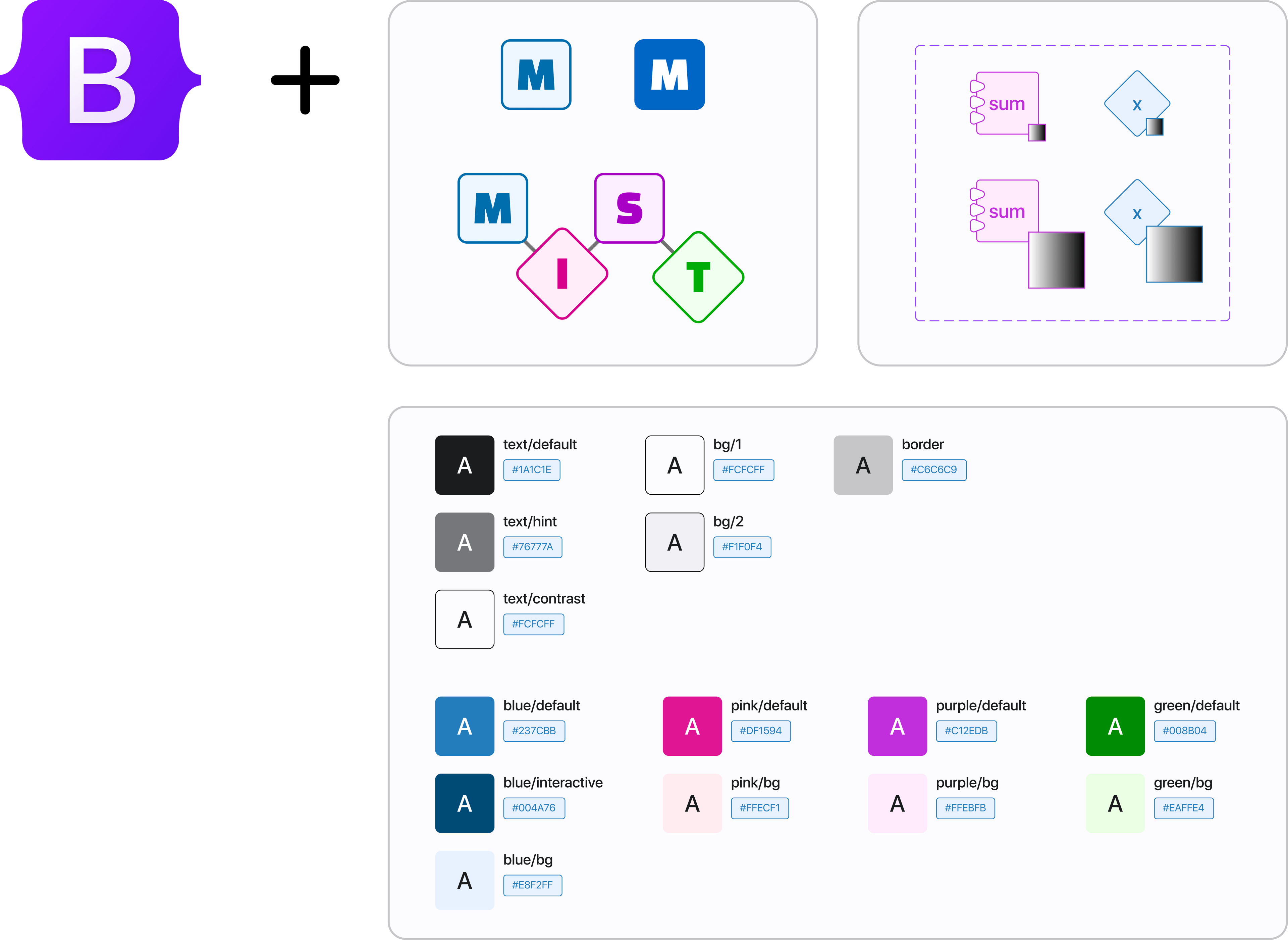
Bootstrap with a hint of MIST
To make development faster, we decided to use Bootstrap as the design library. However, I udated the color scheme to be more vibrant and inviting, and I also updated the logo to relate more to our porduct and less to mathematical graphs that could be intimidating.
High-fidelity Wireframing
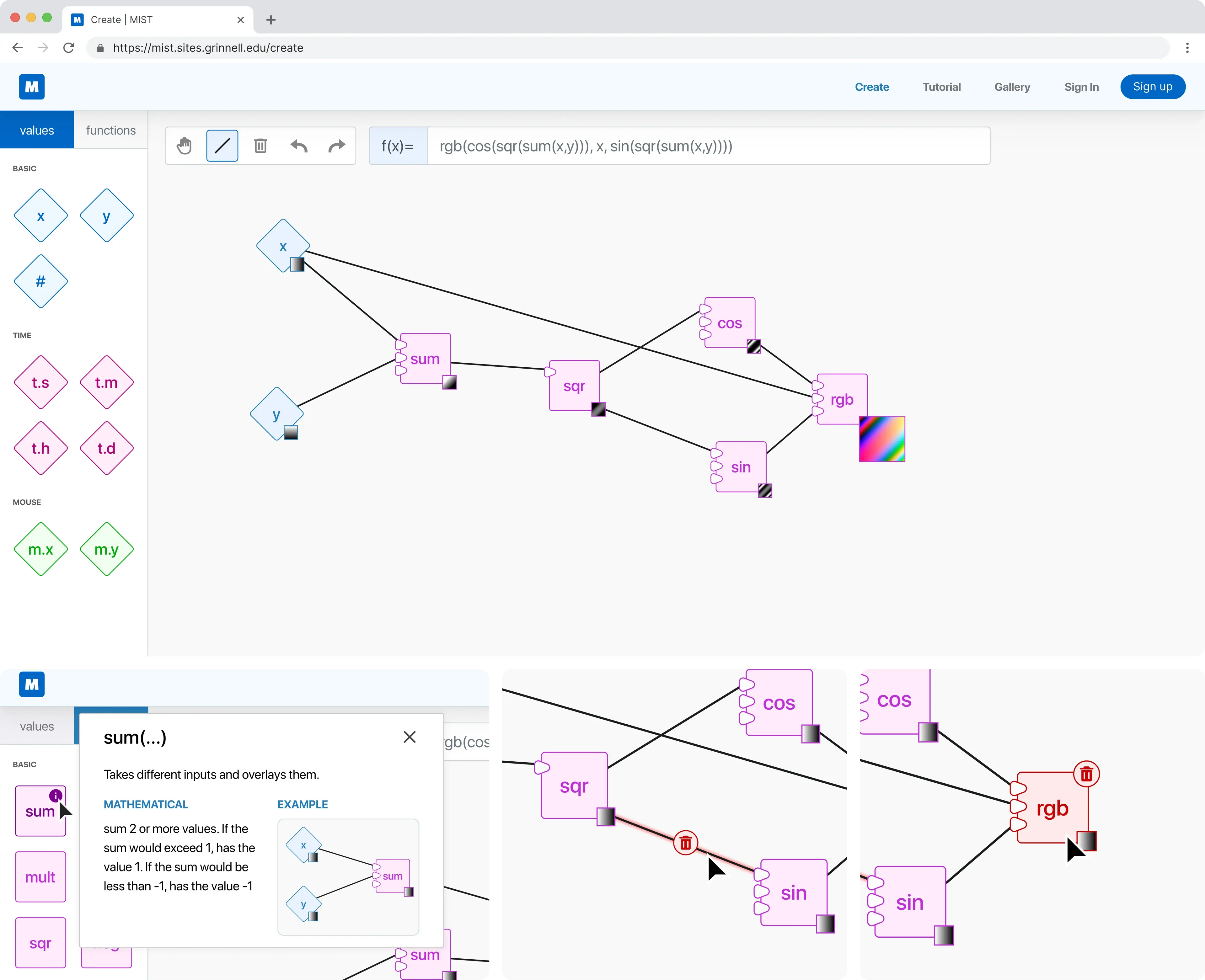
Finalized the workspace, tutorial, and gallery pages based on the research and ideations
From the low-fidelity prototypes, as a team we discussed the different options, and based on I refined them and started to create some of the contents for the tutorials.
- Variables & functions are hidden & takes up less space unless if user opens them
- Show "delete mode" on the cursor itself
Learnings
The importance of target users for educational apps
While going into this project I knew that understanding the target user is important, but I didn't foresee it becoming the main issue in the site's user experience. I realized how important this is especially for an educational app that is created by people who are proficient in the subject. Without thoroughly research and comprehending of target user's needs, there's a risk of creating something that only an "expert" can navigate, which may counteract the educational intent.